
President Simulator Throw Decrees: Mechanics and Guide
Throwing decrees in President Simulator is a manual physics action performed by picking up signed legislation and tossing it across the Oval Office. This method drops papers near the processing tray or directly to aides before automated delivery upgrades are purchased.
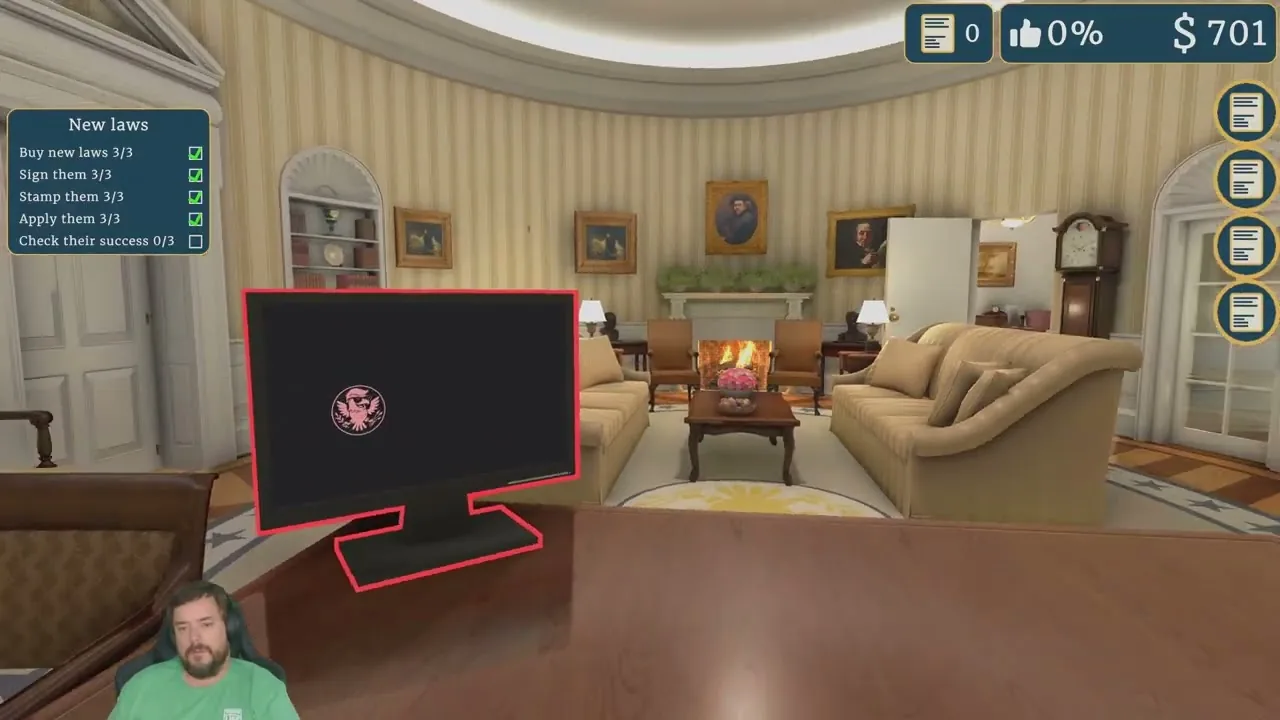
Throwing decrees in President Simulator is a manual physics action performed by picking up signed legislation and tossing it across the Oval Office. This method drops papers near the processing tray or directly to aides before automated delivery upgrades are purchased.
The game is developed and published by Studio 14b, presenting a satirical White House environment where the player starts with zero popularity and zero skills. Physical interactions in the Oval Office include handling paperwork with loose ragdoll physics, picking up documents, and hurling them across the room.
It's your office. Throw decrees, shove your advisors. You are the President, nobody’s going to stop you. — the developer's Steam store page
On the Steam store page, the game highlights tactile office mechanics as a central feature. Players can also track political simulation references through the Fantasy President Career portal when comparing legislative simulation systems.
How Do You Throw Decrees in President Simulator?
Decree throwing is an interactive physics interaction available whenever a bill rests on the presidential desk. After you sign the paperwork with the pen and stamp decrees using either the green approval stamp or the red rejection stamp, the document becomes loose on the work surface.
To fling the paper across the room, execute the following steps:
- Right-click or select the leave desk command to step back from the zoomed-in signing mat.
- Aim your cursor directly at the signed or stamped piece of paper.
- Click and hold the left mouse button to pick up the document into your presidential grip.
- Swing your viewpoint toward the advisor's adjoining office doorway and release the mouse button with forward momentum to fling the bill across the carpet.
During early gameplay sessions recorded by content creator IBJ Hill, players frequently tossed documents through the doorway toward the advisor's room rather than walking each individual sheet over to the outgoing box. If an advisor is seated nearby, bills can be thrown directly onto their workspace.
Why Throw Decrees Instead of Walking Them to the Desk?
Time management is a primary operational constraint during every workday. The executive schedule runs strictly from 9:00 AM to 9:00 PM. Outside of these hours, the administration is closed, secretaries sleep, new laws cannot spawn, and bill processing stops.
Walking across the Oval Office to place each decree by hand into the outgoing tray on the advisor's desk consumes seconds off the daily timer. Throwing decrees lets you clear desk space immediately so you can inspect the next batch of legislative proposals. When your character inventory reaches its carrying limit of four items, tossing extra sheets toward the doorway prevents the desk surface from overflowing.
The table below outlines the three methods for transporting processed paperwork to the validation computer:
| Handling Method | When to Use | Trade-off |
|---|---|---|
| Manual Box Deposit | Early shifts when aiming precision is necessary | Depletes daylight hours on the 9:00 AM to 9:00 PM clock |
| Throwing Bills Across Room | Fast desk clearing during rapid signing sprees | Risk of signed laws disappearing behind furniture |
| Automated Aide Pickup | Available after you recruit advisors with mobility | Costs budget upgrades and operates on timed intervals |
What Problems Can Occur When Tossing Bills?
Throwing decrees is susceptible to physics collision quirks. In playthroughs by streamers such as Ron the Dad Panther and Barnes Plays, tossed documents occasionally clipped into desk geometries or slid under heavy executive furniture.
When a thrown document leaves the main playable zone, the following rules apply:
- Stray documents that land near the aide can still be gathered once the advisor leg upgrade is active.
- Bills that get wedged out of reach will reset or despawn overnight if they are not brought to the processing computer before 9:00 PM.
- Pushing non-player characters is also permitted under the office physics model, allowing players to shove advisors out of desk chairs if their character model blocks the document landing area.
Keeping decree throws aimed toward the center of the doorway keeps documents visible and ready for retrieval before the evening deadline.
Where does this guide's official President Simulator information come from?
Official details in this guide follow President Simulator on Steam, which describes the game in its own words.
Become President of the USA: sign absurd decrees and balance your policies to avoid being called a "sellout." Communicate to gain popularity, manage interviews, and face press conferences. Everything falling apart? Press the red button.
President Simulator on Steam
Next step
Crisis Management
Handle emergency events by understanding thematic thresholds, selecting high-probability crisis proposals, and balancing daily decrees to prevent catastrophic approval rating drops.
Related Guides
President Simulator Oval Office Restoration: How to Clean Up; President Simulator Red Button: Crisis Fixes and Uses; President Simulator Language Support on Steam
Oval Office Restoration
Learn how to obtain renovation gear and restore the ruined Oval Office through computer tasks and popularity growth.
Red Button
Learn how the red button works in President Simulator, when it unlocks, and which advisor proposals resolve theme crises without tanking your stats.
Language Support
Check confirmed Steam languages for President Simulator alongside upcoming localization plans announced by developer Studio 14b.