
President Simulator popularity: How Approval Rating Works
President Simulator popularity is the public approval rating that determines which presidential perks, upgrades, and office tools you can access. You raise it by enacting approved decrees, keeping policy themes balanced, and calming reporters during press conferences between 9:00 AM and 9:00 PM.
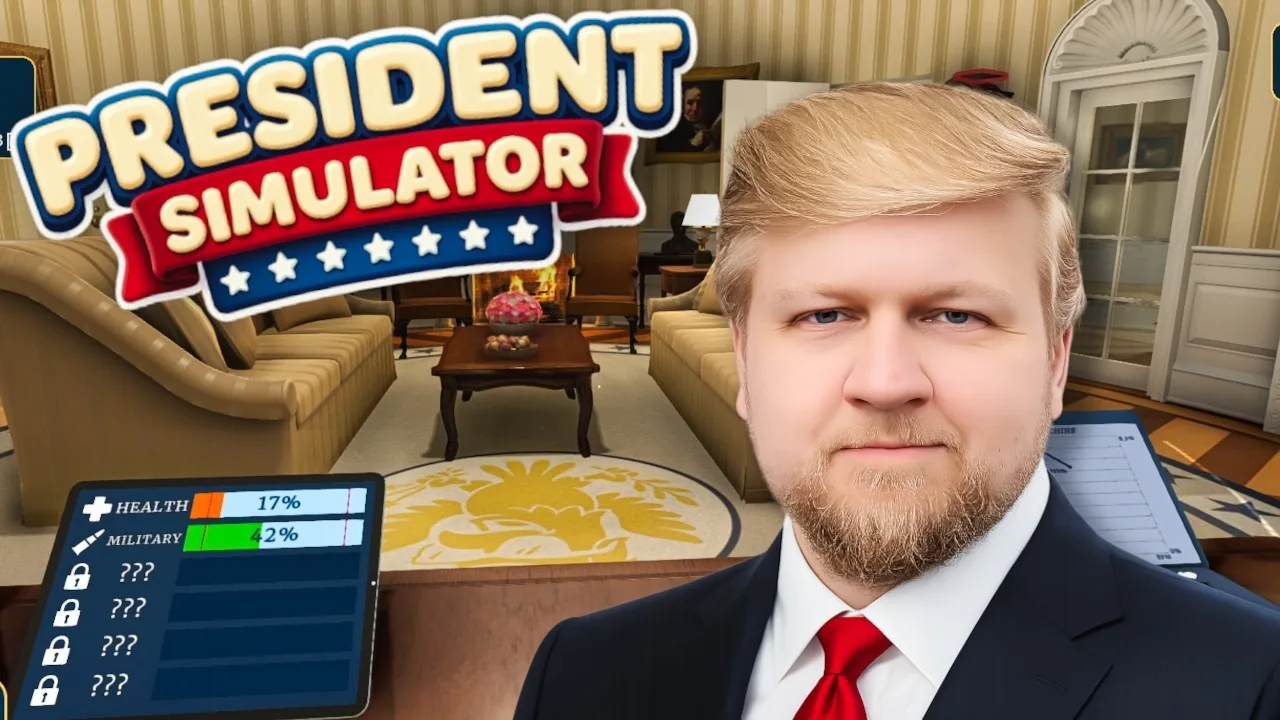
President Simulator popularity is the public approval rating that determines which presidential perks, upgrades, and office tools you can access. You raise it by enacting approved decrees, keeping policy themes balanced, and calming reporters during press conferences between 9:00 AM and 9:00 PM.
This coverage addresses the political simulator developed by Studio 14b on Steam, separate from unrelated web browser entries such as Fantasy President Career.
What Is President Simulator Popularity and How Does It Function?
Approval rating is the central progression metric in President Simulator that tracks public trust from an initial 0%. Your character enters the Oval Office by accident with zero popularity and zero skills. Reaching higher percentage thresholds unlocks office tools, cabinet features, and executive upgrades on your computer.
The relationship between public support and executive freedom is summarized directly on the official Steam store page:
The more the people love you, the more you can get away with... without (too many) consequences. — official Steam store page description
Passing 1% popularity unlocks the thematic policy tablet and medium-risk legislation. Passing 2% popularity unlocks the ability to recruit advisors who walk to your desk, alongside press conferences and higher executive tier titles like Landslide Kid and Founder of Fathers. You track your progress via the power meter display on your desk and through the end-of-day summary screen.
How Do You Increase Your Approval Rating Fast?
Decree validation is the primary method for earning incremental approval gains during each 9:00 AM to 9:00 PM workday. Every bill placed on your desk displays an approval success chance, a financial payout, and an impact on national themes like justice, culture, and economy.
To secure steady popularity gains each morning, execute these operational steps:
- Sit at the Oval Office desk and inspect incoming decrees for high success rates above 60%.
- Apply your signature with the pen and approve the legislation using the green stamp, or stamp with red to lower an overheated theme.
- Deliver the stamped bills to the advisor box or wait for your mobile aide to collect them once you reach 2% popularity.
- Open the validation screen on your computer terminal to reveal passing bills and collect fractional percentage increases.
Keeping your policy balance within the green zone on your tablet prevents sudden approval drops. When a national theme drifts into orange or red danger zones, approval burns quickly unless you solve the resulting emergency or deny matching bills to cool down the sector.
Which Upgrades and Methods Best Boost Popularity?
Progression choices are strategic trade-offs between immediate cash gains, policy stability, and steady approval growth. Early workdays limit how many bills you can hold and process, requiring deliberate investments from your computer menu.
| Approval Method | Best Situation to Use | Cost or Required Threshold |
|---|---|---|
| Popularity Machine | Early workdays when you have spare minutes at the desk | Purchased on computer; daily gain caps start at 0.12% |
| High-Odds Green Stamped Decrees | Standard daytime processing between 9:00 AM and 7:00 PM | Free to sign; requires balancing affected national themes |
| Podium Press Briefings | High-volume approval pushes after crossing 2% popularity | Unlocked at 2% approval; requires active mouse and key input |
Players tracking patch changes on the Steam community hub note that stacking upgrades like Popularity Machine Level 2 and Bonus Pop per Successful Law accelerates daytime percentage gains.
How Do Press Conferences and Daily Limits Affect Popularity Gains?
Press conferences are interactive podium events where you answer questions to secure large popularity boosts. When journalists gather in the briefing room, leave your desk and step up to the microphone.
Aim your mouse cursor directly at individual reporters and tap movement keys like D to fill your response meter. Keeping reporters satisfied prevents negative news coverage and provides flat approval bumps, such as gains of +0.65% or more in a single session.
Daily limits also govern your rating. The desk popularity machine enforces a daily cap that prevents infinite grinding in a single shift, requiring you to upgrade its ceiling from 0.12% up to 0.40% through your office terminal. After 9:00 PM, all secretaries sleep, validations halt, and unsubmitted bills roll over to the next morning briefing.
Where does this guide's official President Simulator information come from?
Official details in this guide follow President Simulator on Steam, which describes the game in its own words.
Become President of the USA: sign absurd decrees and balance your policies to avoid being called a "sellout." Communicate to gain popularity, manage interviews, and face press conferences. Everything falling apart? Press the red button.
President Simulator on Steam
Next step
Power Meter
Understand how the power meter converts approval percentages into new gameplay abilities and upgrades in President Simulator on Steam.
Related Guides
President Simulator Interviews: Media Press and Questions; President Simulator Language Support on Steam
Interviews
Discover how interview mechanics work in President Simulator, how media questioning impacts popularity, and how to defend your legislative agenda.
Language Support
Check confirmed Steam languages for President Simulator alongside upcoming localization plans announced by developer Studio 14b.