
President Simulator Policy Balance Guide and Mechanics
Policy balance in President Simulator requires keeping the Justice, Culture, and Economy gauges centered inside the green zone on your desk tablet to prevent daily government crises.
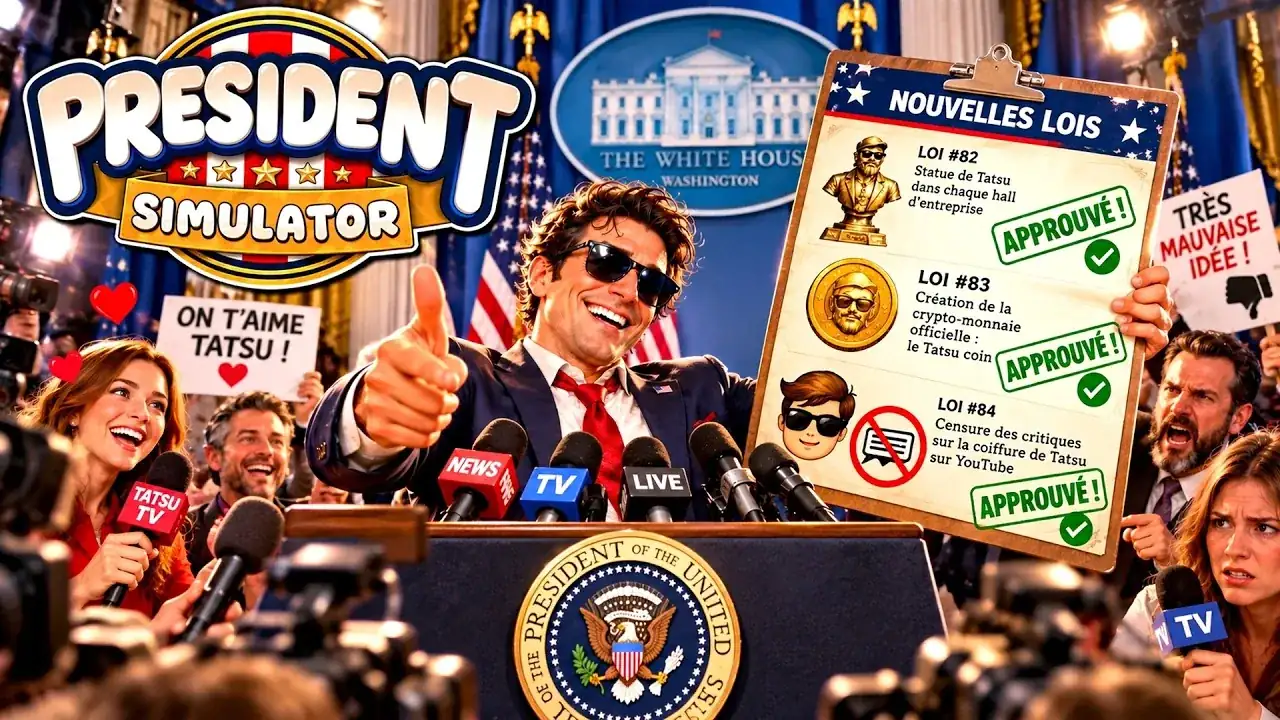
Policy balance in President Simulator requires keeping the Justice, Culture, and Economy gauges centered inside the green zone on your desk tablet to prevent daily government crises. In this White House satirical simulator developed by Studio 14b, every bill you review directly alters these core indicators. When any meter slips into extreme territory, your administration triggers a nationwide emergency that disrupts daily operations and costs money to resolve.
How Does Policy Balance Work in President Simulator?
Policy balance is the management mechanic that dictates whether your administration functions smoothly or spirals into an emergency state. After you sign Law Number 1 to take office and open the box on your Oval Office desk, you unlock the thematic tablet. This handheld device displays the current levels of three active departments: Justice, Culture, and Economy.
Every bill presented on your desk displays specific theme markers and stat modifiers before you stamp it. Approving a decree with your green stamp raises the featured theme of that bill while causing the other inactive themes to decrease slightly. Stamping a bill with your red stamp allows you to reject decrees, which lowers the bill's designated theme and prevents high-risk indicators from drifting out of control.
Maintaining safe levels requires monitoring the color zones displayed across the tablet meters:
- Green Zone: Safe operational range. No crisis countdown triggers, and routine bills pass without emergency penalties.
- Orange Zone: Medium risk threshold. This zone shifts theme volatility by 10% per processed law and warns that a crisis is approaching.
- Red Zone: High crisis danger threshold. Volatility increases to 20% per law, bringing a high risk of triggering an active crisis countdown while drastically raising financial stakes.
Carefully balancing these gauges requires watching your modifiers rather than approving bills solely based on cash payouts. Overfeeding one sector causes adjacent departments to starve, pushing indicators into the red boundary where an emergency becomes inevitable.
What Triggers a National Crisis?
A crisis is an emergency event that activates whenever any theme bar remains in the danger zone or reaches outer limits. As demonstrated in IBJ Hill's gameplay overview, ignoring theme balance quickly trips the alarm, dimming the office lighting and activating the emergency siren. When this occurs, the desk displays an alert stating that a crisis is in progress and your popularity begins declining every second you hesitate.
Once an emergency begins, the large red button on the desk becomes interactive. Pressing this button summons your crisis advisor into the room, who arrives at your desk with four emergency resolution proposals. Each proposal offers an eccentric resolution with distinct trade-offs:
- Deflection Decrees: Options such as blaming previous administrations, blaming the media, or having interns handle the problem. These temporarily stabilize approval but can randomize stat points.
- National Distractions: Solutions like announcing a new space mission, launching an aircraft carrier named after yourself, or challenging a foreign leader to an arm-wrestling match.
- Media Stunts: Actions like ordering an immediate live television broadcast, releasing a bald eagle on air, or commissioning a golden presidential portrait.
- Bureaucratic Renaming: Decrees that declare instant victory or officially rename the crisis to neutralize its public impact.
Selecting a proposal resolves the active emergency, but resolving crises often locks out specific law categories for the rest of the day or conceals decree success chances. Keeping gauges centered in the green is far more efficient than constantly paying to clean up administrative chaos.
| Action Type | Situational Fit | Trade-offs and Costs |
|---|---|---|
| Green Stamp Approval | Use when a target theme is lagging far behind the rest of your administration. | Elevates the primary category while decreasing all other inactive department gauges. |
| Red Stamp Rejection | Use when a specific theme enters the orange or red danger zone. | Lowers the danger level of that department but sacrifices the decree's potential cash reward. |
| Red Button Resolution | Use immediately when an active crisis countdown begins draining popularity. | Halts popularity decay instantly but costs emergency funds and restricts incoming laws. |
How Should You Manage Decrees Throughout the Workday?
Decree processing is the daily operational routine that governs the passage of time from 9:00 AM to 9:00 PM in the Oval Office. At 9:00 AM, you inspect the morning briefing report, sit at your desk, and review incoming bills. Outside of working hours between 9:00 PM and 9:00 AM, the administration closes: new laws cease appearing, journalists depart, secretaries sleep, and pending decree validation pauses.
The standard procedure for managing decrees involves a five-step loop:
- Read the Bill: Inspect the law sheet to check its primary theme, projected cash payout, approval rating change, and percentage chance of success.
- Apply Your Mark: Sign the document with your desk pen, then firmly apply either the green approval stamp or the red rejection stamp.
- Transport the Paperwork: Pick up the stamped documents and carry them to the adjacent office room to deposit them into the law box on your advisor's desk.
- Monitor Computer Validation: Open the office PC and click through to reveal validation outcomes. Each bill undergoes a percentage roll; successful decrees award funds and boost approval, while failed decrees can deduct money or popularity.
- Adjust Your Gauges: Check the desk tablet between batches to see where your meters stand before taking on the next stack of decrees.
Default carrying capacity allows you to hold four laws simultaneously. As your popularity expands from 0% toward higher thresholds, you can use your accumulated cash on the office computer to unlock departmental upgrades. Investing in upgrades like carrying extra laws, raising the odds of drawing favorable laws, reducing crisis aftermath costs, and unlocking advisor movement speeds allows your assistant to collect paperwork directly from your desk, saving valuable daylight hours.
According to the official President Simulator Steam store page, balancing your administration avoids public backlash while unlocking executive authority. Developer Studio 14b also coordinates updates and collects player feedback through the official President Simulator Discord community. By keeping the thematic gauges centered and acting quickly when meters drift into the red, you can expand your executive powers and steer the nation without relying on emergency bailouts.
Sources: President Simulator: official Steam data
Where does this guide's official President Simulator information come from?
Official details in this guide follow President Simulator on Steam, which describes the game in its own words.
Become President of the USA: sign absurd decrees and balance your policies to avoid being called a "sellout." Communicate to gain popularity, manage interviews, and face press conferences. Everything falling apart? Press the red button.
President Simulator on Steam
Next step
Political Roulette
Understand the RNG success odds and policy balancing risks of the political roulette mechanic in President Simulator.
Related Guides
President Simulator Political Roulette: RNG and Laws; President Simulator Crisis Management: How to Solve Crises; President Simulator Decrees: Approval and Denial Guide
Political Roulette
Understand the RNG success odds and policy balancing risks of the political roulette mechanic in President Simulator.
Crisis Management
Handle emergency events by understanding thematic thresholds, selecting high-probability crisis proposals, and balancing daily decrees to prevent catastrophic approval rating drops.
Decrees Guide
Understand decree mechanics, approval chances, cash payouts, and thematic risk balancing to run your administration smoothly in President Simulator.