
President Simulator Red Button: Crisis Fixes and Uses
The President Simulator red button is an emergency device on your desk that activates when national themes exit the safe zone, summoning a crisis advisor who offers four distinct proposals to resolve the situation.
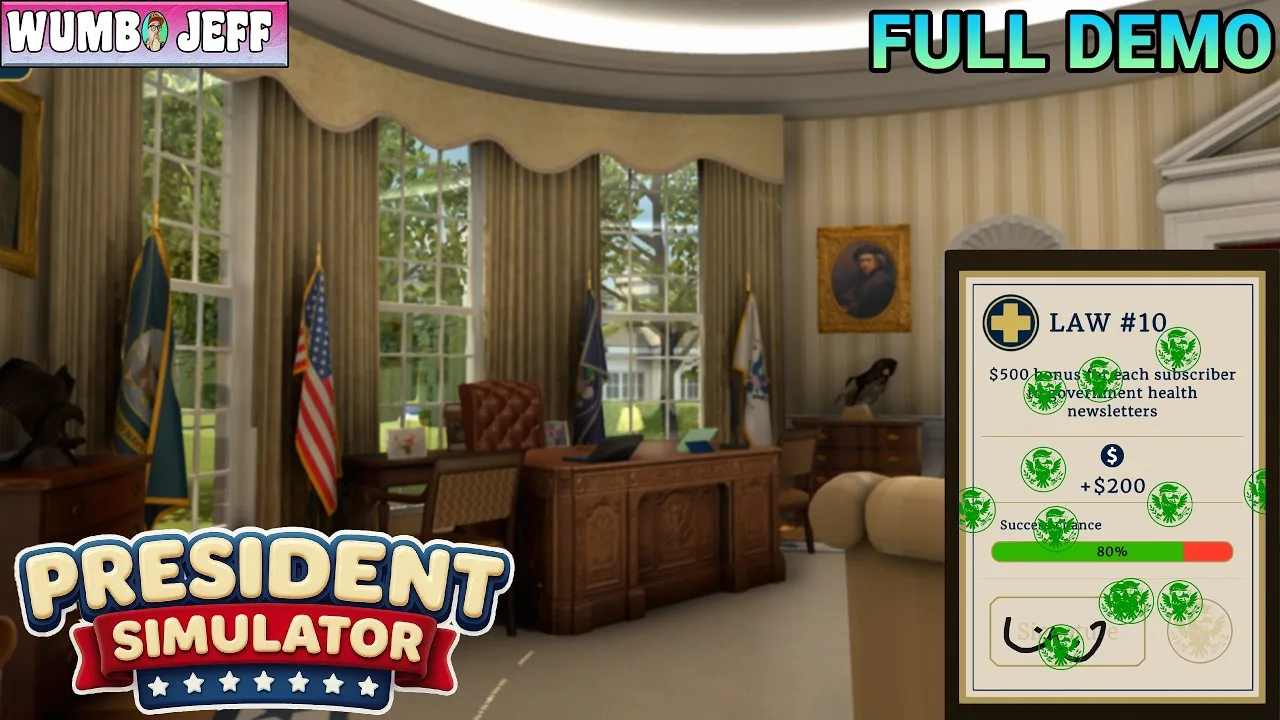
The President Simulator red button is an emergency device on your desk that activates when national themes exit the safe zone, summoning a crisis advisor who offers four distinct proposals to resolve the situation. Pressing it prevents continuous popularity decay during emergencies.
What Does the Red Button Do in President Simulator?
The red button is an emergency intervention tool that unlocks a dedicated crisis advisor when any policy theme strays into danger territory. In the early demo versions, players had to run into a situation room to solve timed trivia questions, or purchase the button to trigger a game-ending explosion. In the current release developed by Studio 14b, the red button sits right on the Oval Office desk under a glass cover.
When you fail to maintain policy balance across justice, culture, and economy, indicators enter the orange and red zones. Once an indicator hits crisis thresholds, the game sounds an alert and makes the red button interactable. Interacting with the red button immediately calls Frank the crisis advisor directly to your desk.
Frank presents four randomized resolution proposals on paper. Selecting one of these proposals applies an immediate modifier to your themes, sets temporary law conditions, or consumes government funds to clear the emergency state. Ignoring the alert causes your approval rating to bleed every passing second.
How to Unlock and Activate the Red Button
An emergency trigger requires active imbalance across your administration's policy meters before the switch becomes functional:
- Monitor your thematic tablet on the desk to track indicators for justice, culture, and economy.
- Sign or reject bills using your desk tools; approving laws increases the target theme while reducing others, whereas using the red stamp to reject decrees pulls rising themes back down.
- Allow any thematic score to climb above safe thresholds or fall to extreme lows until the red emergency warning text flashes on screen.
- Interact directly with the glowing red button on your desk before the timer causes your approval rating to plummet.
- Review Frank's four resolution proposals and pick the option that stabilizes your failing departments with manageable penalties.
Players looking to manage routine legislation can stamp decrees to avoid triggering crises altogether, reserving the button strictly for unexpected stat spikes.
Crisis Resolution Proposals and Strategy
When the emergency occurs, your advisor arrives offering four specific choices. The table below outlines how common resolution options function during an active crisis:
| Proposal Option | Best Situation | Trade-off Required |
|---|---|---|
| Announce a Space Mission | Thematic meters are critically skewed and need distraction | Incurs a long execution duration while hiding law impacts |
| Declare Victory Anyway | Running low on liquid government funds | Sacrifices judicial integrity and temporarily locks theme visibility |
| Blame the Media or Polls | Need immediate crisis clearance without spending cash | Randomizes department stat points and impairs public relations |
| Challenge Foreign Leader to Arm Wrestling | Treasury reserves are high and immediate resolution is needed | Resolves the state immediately but locks selected law categories |
During the live stream by content creator IBJ Hill, pushing the red button summoned the advisor to offer instant options such as renaming federal property or challenging foreign leaders, avoiding the rapid stat erosion caused by hesitation. In another walkthrough by streamer einfach Ray, selecting a distraction trip quickly neutralized an ongoing economic spike.
How Upgrades Affect Red Button Emergencies
Office computer upgrades modify how crises penalize your administration. Spending funds on specific administrative perks mitigates the pressure of emergency events:
- Decreased popularity loss speed during active crises, preventing instant approval collapses.
- Faster cooldowns on crisis aftermath modifiers, restoring hidden law stats sooner.
- Reduced overall monetary costs for resolving high-stakes situations.
- Quickened advisor arrival and dismissal speeds to clear your desk workspace faster.
Players interested in community updates can check the official Discord server for upcoming balance changes. More details about system features and performance requirements can be reviewed on the President Simulator Steam store page.
Handling active crises effectively keeps your administration functional, ensuring your popularity climbs high enough to access advanced executive powers.
Where does this guide's official President Simulator information come from?
Official details in this guide follow President Simulator on Steam, which describes the game in its own words.
Become President of the USA: sign absurd decrees and balance your policies to avoid being called a "sellout." Communicate to gain popularity, manage interviews, and face press conferences. Everything falling apart? Press the red button.
President Simulator on Steam
Next step
Shove Advisors
Learn how physical collisions move staff members and how upgrading advisor abilities changes law handling in your office.
Related Guides
President Simulator Shove Advisors: Office Interactions; President Simulator Throw Decrees: Mechanics and Guide; President Simulator Oval Office Restoration: How to Clean Up
Shove Advisors
Learn how physical collisions move staff members and how upgrading advisor abilities changes law handling in your office.
Throw Decrees Guide
Understand how tossing signed bills across the Oval Office speeds up law routing before purchasing staff movement upgrades.
Oval Office Restoration
Learn how to obtain renovation gear and restore the ruined Oval Office through computer tasks and popularity growth.