
President Simulator Political Roulette: RNG and Laws
Political roulette in President Simulator is the decree validation mechanic where every signed bill rolls a percentage success chance. Passing decrees generates revenue and shifts national metrics, while failing bills risks wasted funds and sudden crises.
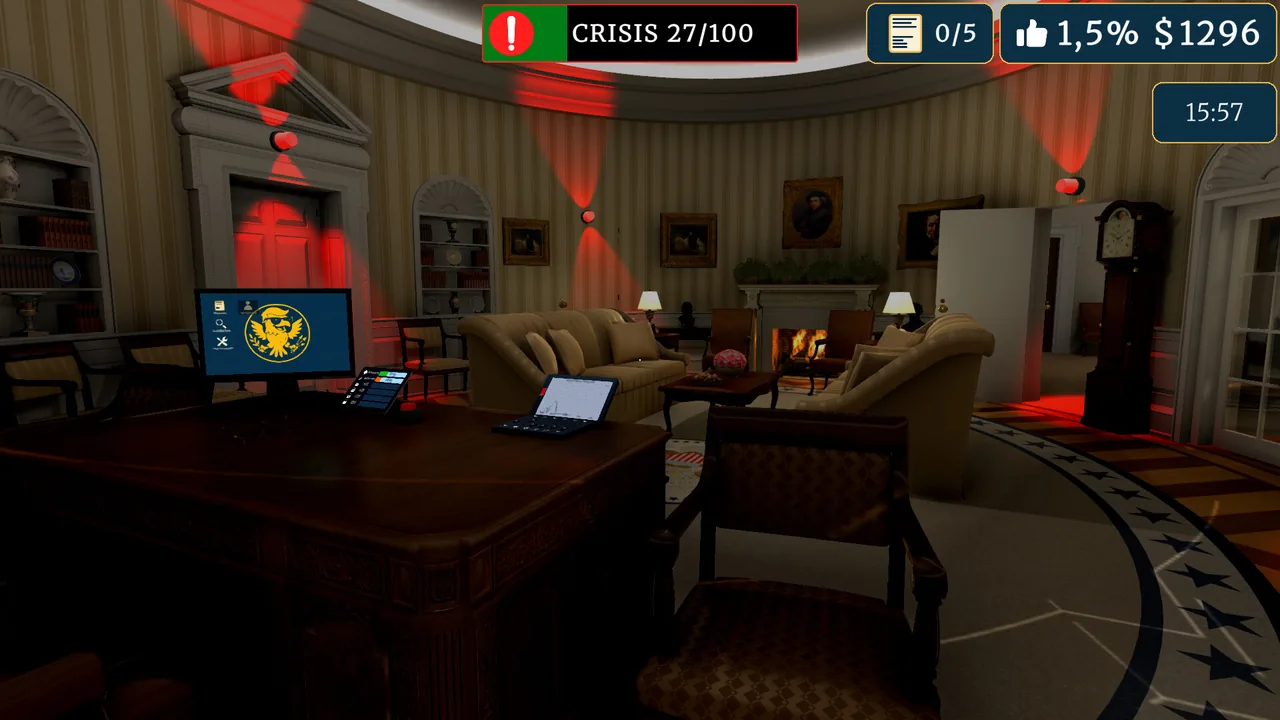
Political roulette in President Simulator is the decree validation mechanic where every signed bill rolls a percentage success chance. Passing decrees generates revenue and shifts national metrics, while failing bills risks wasted funds and sudden crises.
How Does Political Roulette Resolve Decree Outcomes?
Political roulette is an outcome check that calculates whether an approved decree takes effect or fails once placed on the advisor desk. After you review decrees in the Oval Office, you sign or stamp the paperwork and hand the document to your advisor or verify it on the office computer. Each decree displays an explicit success probability percentage before you make your choice, representing the high-stakes risk involved in every policy.
When the advisor processes the document stack, the game executes a visual wheel spin to reveal either a success or a failure. If the roll lands on success, the positive effects take place immediately: your federal balance receives the designated payout, and your Culture, Justice, or economy meters adjust according to the policy specifications. If the roll lands on failure, the decree yields no benefits, the upfront approval cost remains lost, and negative consequences apply without delivering any of the promised gains.
As reported in the Games Press announcement, every decree carries high-stakes risk requiring players to calculate success rates carefully to avoid national bankruptcy. Gameplay operates on a strict working schedule from 9:00 AM to 9:00 PM. Delivering your signed paperwork to the advisor desk before the workday concludes is mandatory, as unsubmitted paperwork cannot resolve its roulette spin.
Which Metrics Affect Policy Balancing?
Legislative meters are three specific track bars representing Justice, Culture, and Economy that shift whenever a decree clears the roulette wheel. The primary objective is keeping all three tracking cursors inside the designated green zone. Pushing any metric too far toward the extreme edges destabilizes your administration and pushes the country closer to an emergency state.
Approving absurd policies, such as taxing tap water or establishing mandatory board game reporting, pushes individual meters in opposing directions. If Justice or Culture drops into the red or climbs out of bounds, your administration loses stability. When an imbalance triggers an active crisis, normal decree flow halts and the office siren activates. Resolving these emergencies forces players to address four mitigation proposals from the advisor or interact with the office red button to prevent steep drops in approval ratings.
| Decree Category Example | Suitable Situation | Required Tradeoff |
|---|---|---|
| High Success Chance (e.g., 88% Borrowed Books Register) | Rebuilding federal funds when cash reserves run low | Adds specific legal mandates that shift the Justice gauge |
| Medium Success Chance (e.g., 69% No Savings Day) | Shifting national culture metrics quickly | Carries a thirty-one percent risk of outright decree failure |
| Low Success Chance (e.g., 43% Earth 24/7 TV Broadcast) | Pursuing large jumps in presidential popularity | Consumes treasury budget upfront with a fifty-seven percent failure rate |
Managing Risk When Approving Daily Decrees
Decree selection is a daily filtering process where you inspect proposal odds and reject unfavorable bills directly into the bin. You do not need to sign every document that reaches your desk. Denying a risky bill immediately discards it without penalizing your budget or shifting your ideological alignment.
When your administration needs capital, you can prioritize decrees with success odds above eighty percent to secure predictable cash rewards. Earning cash allows you to buy office upgrades that raise the odds of drawing favorable laws. Studio 14b designed the system so that as your term continues, certain mid-game modifiers hide decree success percentages or mask metric impacts. In those situations, you must assess the decree text directly, balance competing interests between social mandates and economic growth, and maintain enough financial reserves to survive consecutive failed roulette rolls.
Sources: President Simulator: official Steam data, "President Simulator - Announcement Trailer" - Games Press
Where does this guide's official President Simulator information come from?
Official details in this guide follow President Simulator on Steam, which describes the game in its own words.
Become President of the USA: sign absurd decrees and balance your policies to avoid being called a "sellout." Communicate to gain popularity, manage interviews, and face press conferences. Everything falling apart? Press the red button.
President Simulator on Steam
Next step
Reject Decrees
Master the red stamp mechanic to discard hazardous bills, prevent category collapse, and protect your administration from costly emergency events.
Related Guides
President Simulator Reject Decrees Guide; President Simulator Crisis Management: How to Solve Crises; President Simulator Military Decrees and Crisis Guide
Reject Decrees
Master the red stamp mechanic to discard hazardous bills, prevent category collapse, and protect your administration from costly emergency events.
Crisis Management
Handle emergency events by understanding thematic thresholds, selecting high-probability crisis proposals, and balancing daily decrees to prevent catastrophic approval rating drops.
Military Decrees
Manage defense laws, maintain balanced thematic tablet meters, and resolve Situation Room crisis quizzes in Studio 14b's political simulator.